
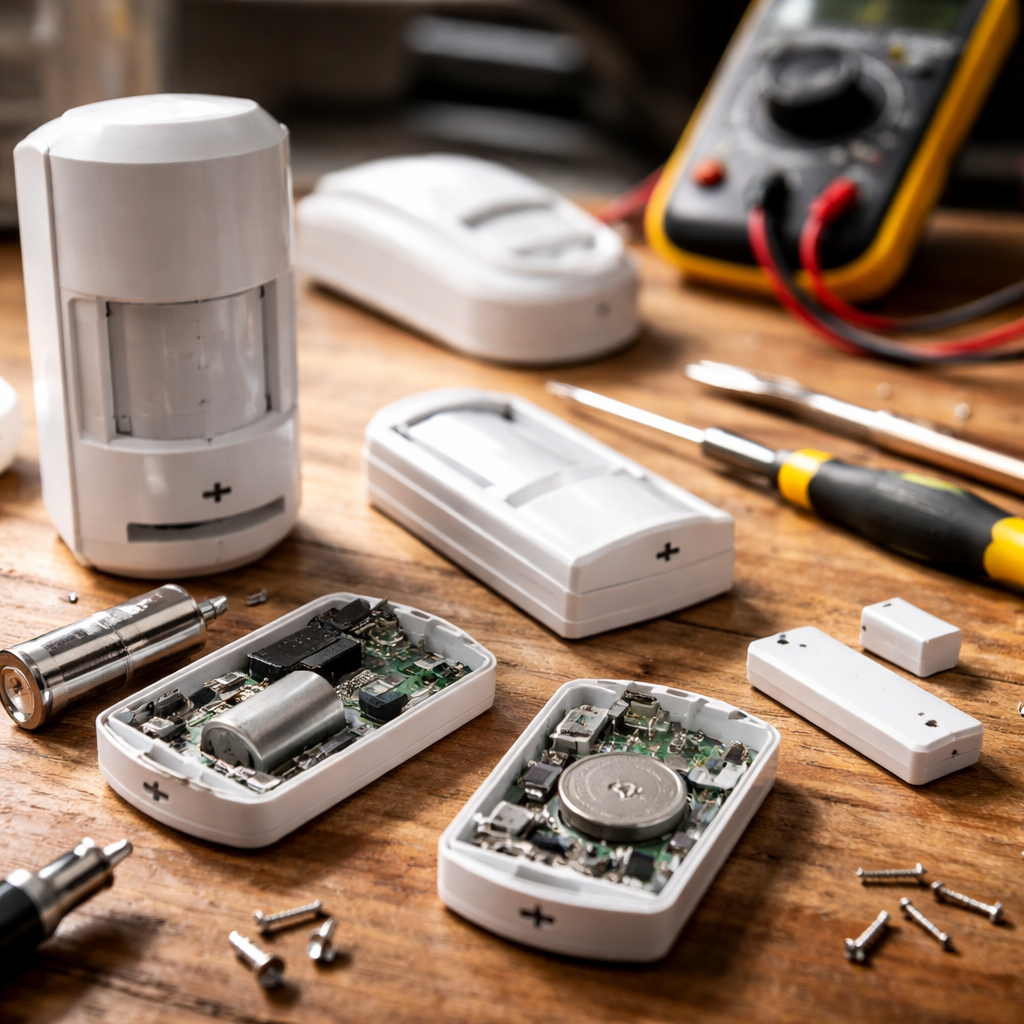
Motion detectors that stay silent, door contacts that fail to trigger, glass break sensors that ignore every slam — when security system sensors not working becomes your reality, the feeling of vulnerability sets in fast. The good news is that most sensor failures follow predictable patterns, and the majority of them can be diagnosed and fixed without calling a technician.
Why sensors fail more often than the system itself
Security panels rarely malfunction on their own. In most cases, the weak link is a sensor — a small, often overlooked component that deals with dust, temperature swings, battery drain, and physical wear every single day. Understanding what typically causes sensor failure helps you troubleshoot faster and smarter.
The most common culprits behind non-responsive sensors fall into a few clear categories. Battery issues top the list by a wide margin — a sensor running on low voltage may appear active in the app while delivering unreliable readings. Wireless signal interference from routers, baby monitors, or neighboring devices can also cause sensors to drop off the network entirely.
Reading the signs before anything stops working
Sensors rarely fail without giving hints first. If your system logs show a pattern of missed alerts, delayed triggers, or frequent “tamper” notifications with no obvious physical cause, those are early indicators that something is off. Catching these signals early prevents a situation where you discover a malfunction only after an actual breach.
Some signs are easy to overlook, especially when the sensor still shows as “online” in your monitoring app. Online status confirms connectivity, not accuracy. A door sensor can be connected to your hub and still miss openings if the magnet has shifted even a few millimeters out of alignment.
A sensor that shows “online” is not necessarily a sensor that works. Always test function separately from connectivity — they are not the same thing.
Step-by-step: how to diagnose a non-working sensor
Before replacing anything, run through a structured check. This saves money and often reveals a simple fix hiding behind what looks like a hardware issue.
- Replace the battery first, even if the low-battery alert has not triggered. Sensor batteries can drop below functional threshold before the system reports them as low.
- Clean the sensor and its contact points. Dust, paint residue, or condensation can disrupt magnetic contact sensors on doors and windows.
- Check physical alignment. For magnetic sensors, the gap between the magnet and the sensor body should typically not exceed 1–2 cm depending on the model.
- Test the sensor manually while watching your panel or app in real time. If there is no response after triggering, the issue is confirmed at the sensor level.
- Check for wireless interference. Move the sensor or hub temporarily to see if range or obstacles are blocking signal transmission.
- Review tamper alerts in your event log. A tamper error may indicate the sensor casing was opened or the mounting pulled away from the wall.
Sensor types and their specific failure patterns
Not all sensors fail the same way. Motion detectors, door and window contacts, smoke sensors, and glass break detectors each have their own typical weaknesses. Knowing which type you are dealing with narrows the diagnosis considerably.
| Sensor Type | Common Failure Cause | First Check |
|---|---|---|
| PIR Motion Detector | Dead zone due to temperature changes or obstruction | Clear field of view, check mounting angle |
| Door/Window Contact | Magnet misalignment or battery drain | Realign magnet, replace battery |
| Glass Break Detector | Sensitivity set too low or positioned too far | Adjust sensitivity, check manufacturer’s range specs |
| Smoke/CO Sensor | Dust buildup or expired sensor lifespan | Clean with compressed air, check manufacture date |
| Flood/Water Sensor | Corrosion on contact probes | Clean probes, test with small amount of water |
When environmental conditions are the real problem
Garages, basements, and outdoor-adjacent spaces create challenging conditions for sensors. Extreme cold slows battery performance significantly — a sensor that works perfectly in summer may become sluggish or unresponsive in winter without any hardware fault. High humidity accelerates corrosion on contact points and can cause false tamper alerts as materials expand and contract.
Direct sunlight hitting a PIR motion detector is another underestimated issue. Passive infrared sensors detect heat movement, and a beam of sunlight shifting across the floor can both cause false triggers and, in certain configurations, create blind spots that mask real movement.
Wireless vs. wired sensors: different problems, different fixes
Wireless sensors offer installation flexibility but introduce variables that wired systems simply do not have — signal range, battery life, and radio frequency interference. If multiple wireless sensors in the same zone start failing simultaneously, interference or a hub issue is far more likely than a coincidental hardware failure across several devices.
Wired sensors are more stable in normal conditions but vulnerable to physical damage. Rodents chewing through wiring, paint applied over contact points, or connections that loosen over time are the typical culprits. For wired systems, a simple continuity test with a multimeter across the sensor loop will confirm whether the circuit is intact.
What actually gets most sensors working again
In practice, the majority of sensor issues resolve through three actions: replacing the battery, cleaning the contacts, and correcting physical alignment. These three steps alone account for a large share of all reported sensor malfunctions, regardless of brand or system type.
If the sensor still does not respond after a thorough check, re-pairing or re-enrolling it to the panel is the next logical step. Many systems retain ghost entries from previously removed sensors, which can sometimes cause communication conflicts with nearby active devices.
When a sensor fails persistently after all of the above, the component itself has reached the end of its functional life. Most residential-grade sensors have a rated lifespan, and replacing an aging unit is not a sign of system failure — it is normal maintenance. Keeping a record of when each sensor was installed makes this kind of decision straightforward rather than guesswork.