
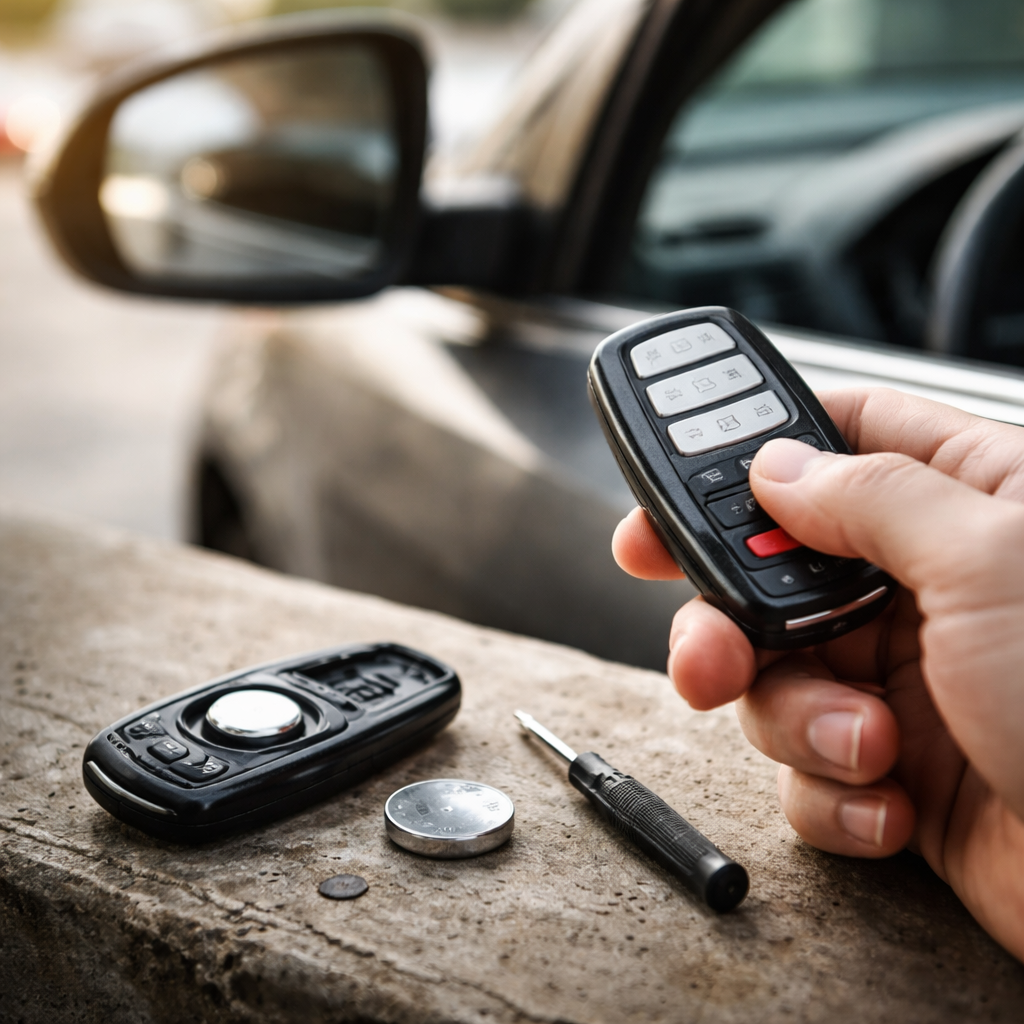
You press the button, nothing happens — and suddenly a simple trip to the car turns into a frustrating puzzle. A car key fob not working is one of those small problems that feels surprisingly disruptive, especially when you’re in a hurry. The good news is that most causes behind this issue are easy to identify and fix without visiting a dealership.
Why your key fob stops responding in the first place
Before you assume the worst, it helps to understand what’s actually happening inside that small plastic remote. A key fob works by sending a radio frequency signal to your car’s receiver module. If anything interrupts that communication — whether it’s a dead battery, signal interference, or a damaged circuit — the car simply won’t respond.
The most overlooked fact is that the majority of key fob failures come down to one single cause: a discharged battery. It sounds almost too simple, but it accounts for the vast majority of cases reported by drivers and confirmed by automotive technicians worldwide.
The most common reasons your remote isn’t working
While a dead battery is the top culprit, it’s far from the only one. Here’s a breakdown of the most frequent issues that prevent a remote key fob from functioning properly:
- Dead or weak battery — the most common cause; the fob may work inconsistently before failing completely
- Lost synchronization — the fob has lost its pairing with the car’s receiver, often after battery replacement
- Damaged internal circuit board — caused by drops, moisture, or general wear over time
- Radio frequency interference — nearby devices or structures can temporarily block the signal
- Faulty car receiver module — less common, but the issue may lie with the vehicle, not the fob itself
- Physical button wear — the rubber pads inside the fob degrade with heavy use
Each of these causes requires a slightly different approach, so identifying the right one saves both time and money.
Step-by-step: what to check before calling for help
Working through a logical sequence of checks usually resolves the problem within minutes. Start with the simplest possibilities and move toward more complex ones only if needed.
| Step | What to check | How to do it |
|---|---|---|
| 1 | Battery charge | Replace with a fresh CR2032 or the battery type specified in your owner’s manual |
| 2 | Fob synchronization | Consult your vehicle manual for the reprogramming sequence — most involve holding specific buttons with the ignition on |
| 3 | Physical damage | Open the fob casing and visually inspect the circuit board and button contacts |
| 4 | Signal interference | Move to a different location and try again — parking garages and areas near radio towers can disrupt signals |
| 5 | Backup key test | If you have a spare fob, test it — this tells you whether the issue is with the fob or the car’s receiver |
How to replace a key fob battery correctly
Replacing the battery seems straightforward, but a few details matter. Using the wrong battery type, installing it upside down, or touching the contacts with bare fingers can all cause problems. Here’s what to keep in mind:
- Always check your vehicle owner’s manual or the existing battery for the correct model number
- Use a flat-head screwdriver or a coin to gently pry open the fob casing — avoid excessive force
- Note the orientation of the old battery before removing it
- Handle the new battery by its edges to avoid leaving oils on the contacts
- After replacement, test the fob from different distances to confirm the signal is strong
If the fob works only when held very close to the door handle, the battery is likely weak but not yet fully dead. That’s your warning sign to replace it before it fails entirely.
Reprogramming a key fob: when and how
After a battery change, some vehicles require you to reprogram the remote. This is because certain car models reset the fob’s pairing when power is interrupted. The process varies by manufacturer, but a typical reprogramming sequence looks like this:
- Sit inside the vehicle with all doors closed
- Insert the key into the ignition and cycle between off and on positions several times rapidly
- The car may emit a chime or the locks may cycle to signal it has entered programming mode
- Press any button on the fob within a few seconds to complete the pairing
If this doesn’t match your vehicle’s procedure, a quick search using your car’s make, model, and “key fob programming” will usually bring up the exact steps from the manufacturer. Many automakers also provide this information in the glove box manual.
When the problem is beyond a DIY fix
Some situations genuinely require professional help. If you’ve replaced the battery, attempted reprogramming, and confirmed the spare fob also doesn’t work, the issue is likely with the car’s receiver module or the body control module (BCM). These components require diagnostic tools to assess properly.
Water damage inside the fob is another scenario where professional service or a full replacement makes more sense than attempting a repair. Even if the circuit board looks undamaged, corrosion can affect contacts in ways that aren’t visible to the naked eye.
A locksmith who specializes in automotive electronics can often reprogram or replace a key fob at a fraction of dealership prices — worth keeping in mind before heading straight to the manufacturer.
Keeping your key fob working longer
Prevention makes a real difference with remote key fobs. These small devices take a lot of daily abuse — dropped in bags, exposed to temperature extremes, soaked in occasional rain. A few simple habits can significantly extend their lifespan:
- Use a protective case or silicone cover to absorb impact from drops
- Keep the fob away from water, including sweaty pockets during workouts
- Avoid storing it near strong magnets, which can interfere with the signal and internal components
- Replace the battery proactively once a year rather than waiting for failure
- Don’t press buttons excessively — wear on the rubber contacts is cumulative
Most people don’t think about their key fob until it stops working. But like many small tools we rely on daily, a little attention goes a long way toward avoiding an inconvenient moment in a parking lot far from home.