
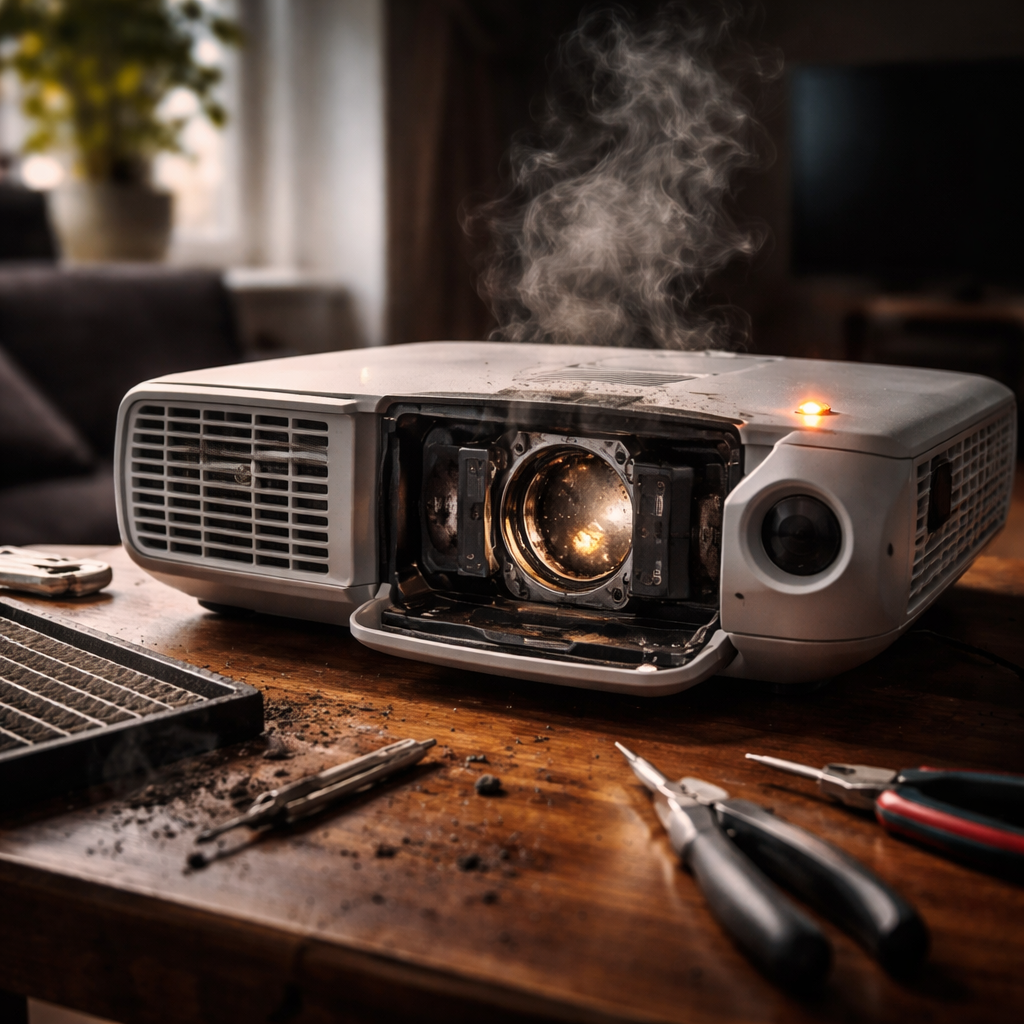
You set everything up, dim the lights, hit play — and nothing. A projector lamp not working is one of those frustrating moments that can derail a presentation, movie night, or classroom session in seconds. The good news is that most lamp-related issues have clear, diagnosable causes, and many of them can be resolved without calling a technician or rushing to buy a replacement.
Why the lamp fails in the first place
Projector lamps are high-intensity discharge bulbs — typically UHP (Ultra High Performance) or metal halide technology — that operate under extreme heat and pressure. Unlike standard light bulbs, they have a finite lifespan, usually between 2,000 and 5,000 hours depending on the model and usage mode. When something goes wrong, it’s rarely random. There’s almost always a reason behind it.
Understanding the root cause is half the battle. Here are the most common culprits behind a projector lamp that refuses to work:
- The lamp has reached or exceeded its rated hour limit
- The projector overheated due to blocked ventilation or a dirty air filter
- The lamp was touched with bare hands during installation, leaving oils that cause uneven heating
- A power surge damaged the lamp or the ballast that powers it
- The lamp module is not seated correctly in its housing
- The projector’s internal timer hasn’t been reset after a lamp replacement
Reading the warning signs before it goes dark
Lamp failure rarely happens without warning. In most cases, the projector gives you signals days or even weeks before the bulb completely dies. Knowing what to look for can save you from being caught off guard at the worst possible moment.
Watch out for these early indicators of a failing projector bulb:
- The image appears noticeably dimmer than usual
- Colors look washed out or shifted toward yellow or pink
- The lamp indicator light on the projector body is blinking or glowing red
- The projector shuts itself off unexpectedly during use
- You hear a popping sound when the projector starts up
A dim image on a projector that used to be bright is almost always the lamp telling you its time is running out — not a settings issue or a cable problem.
Step-by-step: what to check before replacing anything
Before spending money on a new lamp, it’s worth going through a basic diagnostic process. Some issues that look like lamp failure are actually caused by something else entirely — and a few minutes of checking can save you a lot of unnecessary expense.
Check the lamp hour counter
Every projector has a built-in usage timer accessible through the settings menu. Look for a section called “Lamp Hours,” “Usage,” or “Information.” Compare that number to the manufacturer’s recommended lamp life for your specific model. If you’re close to or past the limit, replacement is almost certainly the answer.
Inspect the air filter and ventilation
A clogged air filter is one of the leading causes of projector overheating, which in turn causes the lamp to shut off as a protective measure. Remove the filter (the location varies by model — check your manual), and clean it with compressed air or replace it if it’s heavily soiled. Make sure nothing is blocking the intake or exhaust vents.
Reseat the lamp module
If the projector powers on but won’t display an image, or throws a lamp error immediately, the lamp module might be slightly out of position. Power off the unit completely, allow it to cool for at least 30 minutes, then remove and firmly reinsert the lamp housing. A loose connection between the lamp and the ballast is more common than people realize.
Reset the lamp timer after replacement
This step is overlooked surprisingly often. After installing a new lamp, the projector’s internal counter still shows the old lamp’s hours unless you reset it manually. Without resetting, the projector may display false warnings or restrict functionality. The reset option is usually found in the Settings or Setup menu under “Lamp Reset” or “Lamp Hours Reset.”
When it really is time for a new lamp
If you’ve gone through all the checks and the projector still won’t produce a proper image — or won’t turn on at all — a lamp replacement is the logical next step. Choosing the right replacement matters more than most people expect.
| Option | Pros | Cons |
|---|---|---|
| OEM lamp (original manufacturer) | Guaranteed compatibility, full rated lifespan | Higher cost |
| Compatible generic lamp | Significantly cheaper | Variable quality, shorter life possible |
| Lamp module with housing | Easier installation, includes all parts | More expensive than bare bulb alone |
| Bare bulb replacement | Lowest cost if you reuse the housing | Requires careful handling and fitting |
For regular home use, a quality compatible lamp from a reputable supplier is often a sensible compromise. For professional or commercial environments where reliability is critical, sticking with OEM parts is worth the extra investment.
When searching for a replacement, always use your projector’s exact model number — not just the brand. Lamp part numbers are model-specific, and an incompatible lamp won’t fit or may damage the ballast.
The ballast issue people often miss
If you’ve installed a new, correct lamp and the projector still won’t light up, the problem may not be the lamp at all — it could be the ballast. The ballast is the electronic component that regulates power to the lamp. When a ballast fails, it typically produces no light even with a brand-new bulb installed. Signs of ballast failure include a clicking or humming noise when the projector attempts to start, followed by an immediate shutdown.
Ballast replacement is a more complex repair that usually requires a qualified technician. However, it’s worth knowing about because it can prevent you from buying multiple replacement lamps trying to solve a problem that was never about the lamp to begin with.
Making your next lamp last longer
A few straightforward habits can meaningfully extend the life of a projector lamp and reduce the frequency of these kinds of problems.
- Use Economy or Eco mode when full brightness isn’t necessary — this alone can add hundreds of hours to lamp life
- Allow the projector to complete its cooling cycle before cutting power — avoid pulling the plug right after use
- Clean the air filter every 100–200 hours of use, or more frequently in dusty environments
- Keep the projector in a well-ventilated space with adequate clearance around all vents
- Avoid moving the projector while the lamp is hot — the filament is fragile when heated
- Log your lamp hours so you’re never caught off guard by the end of its lifespan
None of these steps require technical knowledge — they’re just good habits that pay off over time. A lamp that’s properly cared for will consistently reach or exceed its rated hours, while a neglected one often fails well before that point.
When to stop troubleshooting and get professional help
Most projector lamp problems are solvable at home with basic tools and patience. But there are situations where DIY troubleshooting has reached its limit. If the projector displays error codes that don’t clear after a lamp reset, if the new lamp shatters shortly after installation, or if there are signs of physical damage inside the lamp compartment, it’s time to bring the unit to a certified repair center.
Also keep in mind: if your projector is older and the lamp alone costs more than a third of the price of a comparable new unit, replacement of the entire device may actually be the more economical choice. Projector technology has improved substantially, and a newer model will often offer better brightness, energy efficiency, and reliability than keeping an aging unit on life support.